 LaunchRepo
Short answer
- Can AI agents solve CAPTCHAs? Some tools try. A CAPTCHA exists to check that a person is present, so the dependable approach is to let the person do that one step.
- The agent does everything around it: opens the page, fills the fields, reads them back and stops right before the check.
- It records a handoff with four parts: what it saw, the one action you take, where you take it, and the signal that lets it continue.
- You complete the CAPTCHA, 2FA code or passkey in the same tab. The agent re-reads the form and submits once.
- 2FA codes and authenticator secrets stay with you. The agent never needs them to finish its part.
The handoff, step by step
- Agent1 PrepareOpen the page, fill the approved values, read every field back.
- Agent2 Notice the checkA CAPTCHA, 2FA prompt or passkey request appears. Stop here, touch nothing else.
- Agent3 Record the handoffWhat it saw, one action, where, and the signal to continue. Keep the tab open.
- You4 Complete the checkIn the same tab: solve the CAPTCHA, enter the code, approve the passkey.
- You5 Give the signalTell the agent it is done, or mark the handoff resolved in your dashboard.
- Agent6 Resume and submit onceRe-read the form, compare with the approved values, submit once, record the result.
Result unclear after submitting? Look for a receipt (confirmation page, email, the product in your account) before anything is sent again.
Try it: demo form
This form plays the whole handoff in your browser. Fill it (or let the sample do it), continue to the check, complete it as the person, then let the agent resume. We also drove this exact form with Cline and Chrome DevTools MCP.
Write the handoff note
A good handoff fits in five lines. Edit the fields, then copy the note into your chat, ticket or tracker, or download it as a Markdown file.
Specific beats vague
| Field | Clear | Too vague |
|---|---|---|
| What the agent saw | Image CAPTCHA below the filled form, submit disabled | Something went wrong |
| The one action | Solve the CAPTCHA, do not press Submit | Please finish the form |
| Where | Window "Launch", tab "Submit your product" | In the browser |
| Signal to continue | CAPTCHA gone, Submit button active | When you are ready |
CAPTCHA, 2FA, passkey, email: who does what
Not every interruption is a handoff. Routine sign-ins with authorized credentials are normal agent work; the steps below need a person, or a specific grant.
| What appears | Who acts | What the agent does meanwhile |
|---|---|---|
| Image or checkbox CAPTCHA | You, in the same tab | Keeps the filled form open, records the handoff, may work on another platform in a separate window |
| Bot-check page before the site loads | You, if a check appears | No retries, proxies or stealth tools; notes the page and waits |
| 2FA code (authenticator app or SMS) | You type the code | Never asks for the code, the recovery codes or the authenticator secret |
| Passkey, security key or device approval | You, on your device | Waits for the signal, then checks that the sign-in reached the right account |
| Verification email for a sign-up the agent started | The agent, if you granted mailbox access | Opens only the matching message, checks recipient and context, then returns to the form |
| Ordinary sign-in with credentials you authorized | The agent | Signs in and continues; this is not a handoff |
Why the person does the check
These are the published rules and definitions behind the handoff, quoted word for word. We quote them; we do not interpret law.
| Topic | Wording | What it means for your agent |
|---|---|---|
| What a CAPTCHA is for | All interactive approaches require users to perform a task believed to be relatively easy for humans but difficult for robots. | The check is designed for people. A human completing it is the intended path. |
| Accessibility | Unfortunately the very nature of the interactive task inherently excludes many people with disabilities, resulting in a denial of service to these users. | Some people need an accessible alternative. The site’s own audio or support option is the right route, not a workaround. |
| Security view | CAPTCHA Defeat is an automated threat. | Security teams classify automated solving as an attack pattern. A launch should never look like one. |
| Browser automation is visible | Defines a standard way for co-operating user agents to inform the document that it is controlled by WebDriver | Browsers tell pages when WebDriver controls them. Sites can and do react to that. |
| Chrome DevTools MCP | Some accounts may prevent sign-in when the browser is controlled via WebDriver (the default launch mechanism for the Chrome DevTools MCP server). | For sign-ins, connect the agent to a Chrome you started yourself rather than one the tool launches. |
| Claude Code with Chrome | When Claude encounters a login page or CAPTCHA, it pauses and asks you to handle it manually. | A mainstream agent vendor ships exactly this pause-and-hand-over behaviour. |
| Claude in Chrome: prohibited actions | Bypassing captchas | Bypassing CAPTCHAs is on the vendor’s list of actions Claude will not take. |
| Account creation | You must be a human to create an Account. Accounts registered by "bots" or other automated methods are not permitted. | Some platforms require a human to create the account. Check each platform’s own terms. |
What our own tests showed
- When Chrome DevTools MCP launched its own Chrome, pages saw navigator.webdriver = true in every run. A Chrome started by a person and then connected to the agent reported false in all 5 runs.
- With the agent attached to that Chrome, the person finished the last step in the same tab and the agent read the result afterwards: 5 of 5 runs.
- In Cline 3.0.67 headless mode, a question the agent asked was answered automatically with the first option, without waiting for anyone: 5 of 5 runs. A question is not a handoff; ending the run and resuming later is.
- The tab and its filled fields stayed open after the Cline run ended, and the resumed run found them unchanged: 5 of 5 runs.
Playwright MCP vs Chrome DevTools MCP →LaunchRepo with Cline: browser setup that works →
This page is not legal advice. Platform terms differ and change; read the terms of each platform you submit to.
Resuming safely
The resume is where drafts get lost or sent twice. Five checks prevent both.
- Same window, same tab. The challenge is gone and the page shows the next step.
- The agent re-reads every field and compares it with the approved values before it clicks anything.
- Signed out during the check? Sign in again in the same tab; the agent confirms the form is still filled.
- Submit once, then record exactly what the platform showed.
- No clear confirmation? Look for a receipt first. Only a confirmed non-submission allows one new attempt.
Mistakes that cost a submission
- Reloading or closing the tab
- Unsaved fields are gone. Keep the tab exactly as the agent left it.
- Starting over in a new tab
- Two drafts for one product invite a duplicate submission.
- Pasting 2FA codes into the chat
- Codes end up in logs and transcripts. Type them only into the site.
- Storing the authenticator secret for the agent
- Whoever holds the secret holds the second factor. It stays in your authenticator app.
- "Just try again" or switch tools
- Retrying a challenge, changing IPs or adding stealth plugins looks like an attack and can get the account blocked.
- Trusting an automatic answer
- Some agents answer their own questions in unattended mode. Only a real signal from you ends a handoff.
How LaunchRepo handles it
The handoff is built into the kit your agent follows, so it behaves the same on every platform.
- The agent records the platform as prepared_needs_human with the visible blocker, one owner action, where to take it and the observable result that lets it resume.
- The draft and its work window stay open. Challenge links, session URLs and codes are never written to the tracker.
- Your local dashboard shows a “Needs you” card with the exact step. Press “I resolved it: continue” when you are done.
- While one platform waits, the agent may prepare another free-ready platform in a separate window. Only one is actively controlled.
- The agent continues the same assignment; nothing is started twice.
Resume command from the kit runbook
python3 scripts/run.py --project projects/my-product continue <platform> \
  --worker worker-1 \
  --resolution "Owner completed the challenge in the preserved tab" \
  --next-action "Review the final form before submitting"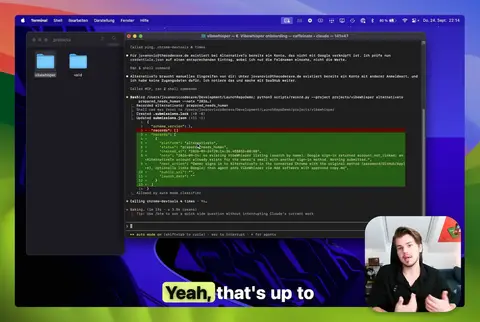
Sources
Every quote above is copied word for word from these pages, read on October 1, 2026. Tested behaviour comes from our own runs described on this page.
| Source | Page date | Checked |
|---|---|---|
| W3C Group Draft Note: Inaccessibility of CAPTCHA | ||
| OWASP Automated Threats: OAT-009 CAPTCHA Defeat | no date shown | |
| W3C WebDriver: navigator.webdriver | no date shown | |
| Chrome DevTools MCP: Advanced usage | no date shown | |
| Claude Code Docs: Use Claude Code with Chrome | no date shown | |
| Claude Help Center: Use Claude in Chrome safely | no date shown | |
| GitHub Terms of Service | no date shown |
FAQ
- Can AI agents solve CAPTCHAs?
- Some tools and paid services attempt it. CAPTCHAs are designed to confirm that a person is present, and security teams treat automated solving as an attack pattern. A controlled handoff keeps your account and your submission safe: the agent prepares everything, you complete the check, the agent finishes.
- Should I give my agent my 2FA codes or authenticator secret?
- No. Type codes yourself, directly into the site, in the tab the agent left open. The authenticator secret and recovery codes stay with you. The agent never needs them to fill forms, read results or resume.
- Does connecting the agent to my own Chrome reduce CAPTCHAs?
- It keeps your normal sign-in state, and in our test, pages saw navigator.webdriver = false in a Chrome you started yourself. It does not promise fewer challenges. When one appears, the handoff is the same.
- What happens if the agent’s session ends while I solve the check?
- Nothing is lost as long as the tab stays open. In our Cline test the filled form survived the end of the run, and the resumed run found it unchanged. Resume the same session, or in LaunchRepo continue the same assignment.
- Is it legal to let an AI solve CAPTCHAs?
- We do not give legal advice, and the answer depends on where you are and on each platform’s terms. What we can say: Anthropic lists CAPTCHA bypassing as prohibited for Claude in Chrome, and some platforms require a human to create accounts. The handoff avoids the question entirely.
- Is the demo on this page a real CAPTCHA?
- No. It is a stand-in that shows the states of a handoff: draft, paused, resumed, submitted once. Nothing is checked, stored or sent, and the note you download is created in your browser.
Let your agent do the long part
LaunchRepo gives your coding agent the kit, the platform list and the tracker. You keep the few steps only a person should take.
See pricing