 LaunchRepo
Short answer
- Decide the length by where the video will play: app store previews are 15 to 30 seconds, a launch video 60 to 90 seconds, a full walkthrough several minutes. Our own demo runs 5:54.
- Show the product doing its main job as early as you can. In our demo the agent starts working at 2:52; setup and context take 33% of the runtime before that.
- Record the real product, not a mock-up. Show the moment where a human has to step in if your product has one; it builds more trust than a flawless run.
- Add captions from a corrected transcript, host the video on one watch page and link or embed it everywhere else.
Our demo, scene by scene
This is the LaunchRepo demo as it is published on our site: a screen recording with the founder in a small camera window, English audio and word-by-word English captions in the picture. Subtitles in 12 languages are under the CC button.
Watch page with chapters and the full transcript: Watch it work live. →
- Length 5:54, 10 chapters, one time-lapse.
- The agent starts working at 2:52. Before that, the video spends 1:59 (33%) on setup and context: the example product, the onboarding email and the local dashboard.
- The handoff chapter shows the agent stopping at a login only the founder can complete, then moving on.
- A 0:31 time-lapse compresses the long part where the agent simply keeps working.
| Chapter | Time | Role | What it does, and what we would change |
|---|---|---|---|
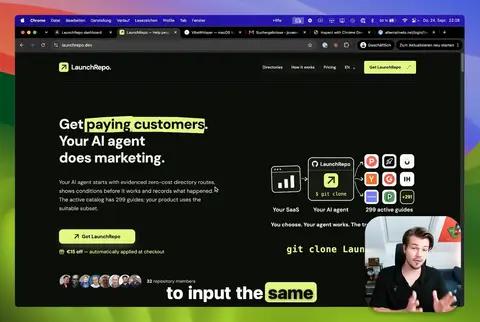 Why directory submissions are worth automating Why directory submissions are worth automating | –0:3435 sec | Problem | Personal problem in the first seconds, then why the task is worth solving. Works; the first sentence doubles as the hook. |
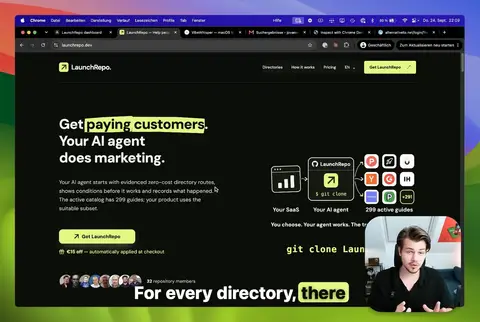 What LaunchRepo is What LaunchRepo is | –0:5319 sec | Product | What the product is in two sentences. Short and clear. |
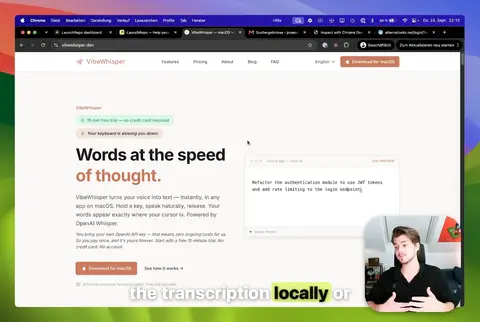 The example product: VibeWhisper The example product: VibeWhisper | –1:2431 sec | Setup | Introduces the example product the demo launches. Useful context, but it could be half as long. |
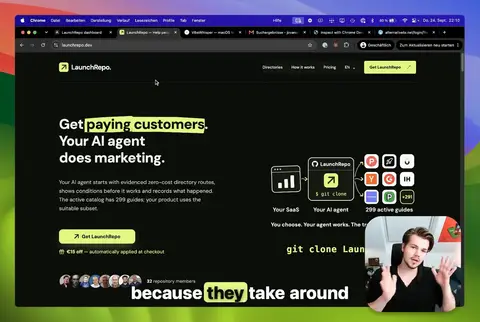 The onboarding email The onboarding email | –1:4217 sec | Setup | Mentions the onboarding email and skips its steps. Good call: nobody wants to watch setup. |
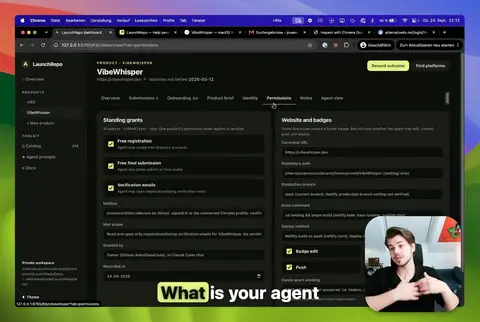 Local dashboard: brief, identity, permissions Local dashboard: brief, identity, permissions | –2:5270 sec | Setup | Walks through the brief, identity and permissions in the dashboard. This is the part a launch cut should shorten most. |
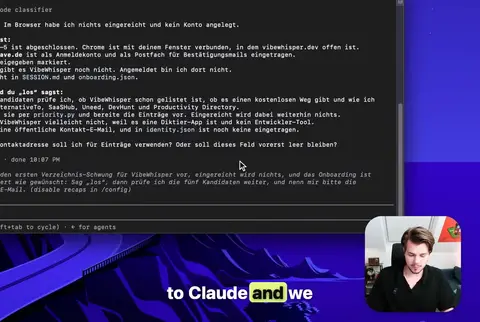 First batch selection in Claude First batch selection in Claude | –3:2634 sec | Main job | The agent picks the first platforms. The product starts doing its job here. |
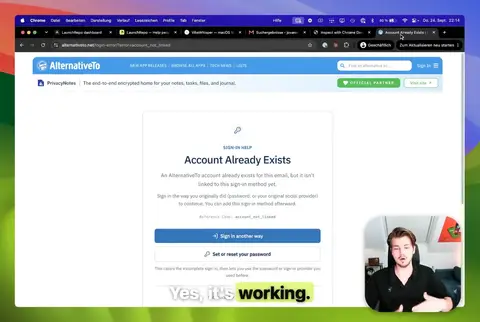 The agent submits in Chrome The agent submits in Chrome | –3:5226 sec | Main job | The agent works in a real browser. The core moment of the video. |
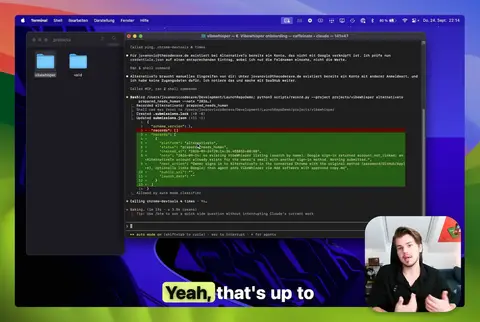 Handoff: a login only you can do Handoff: a login only you can do | –4:2129 sec | Handoff | The agent stops at a login it cannot do and asks for a human. Honest and reassuring; we would keep it in every cut. |
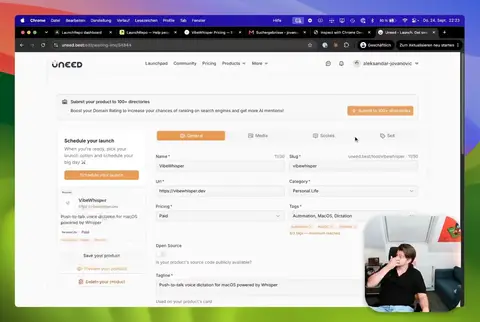 Time-lapse Time-lapse | –4:5231 sec | Time-lapse | The time-lapse shows scale without making viewers wait. |
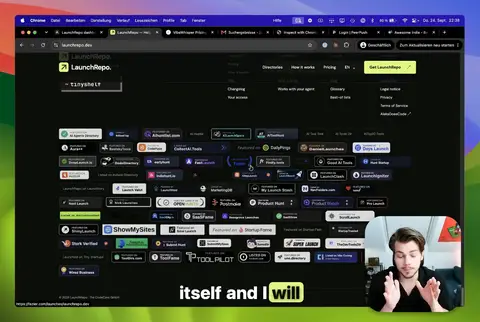 Recap and the badges in our footer Recap and the badges in our footer | –5:5461 sec | Result | Recap, proof you can check (the badges in our site footer) and how to reach the founder. |
What we would keep
- A real run of the product with no staged data, including the moment it needs a human.
- The time-lapse instead of minutes of waiting.
- Proof viewers can verify themselves, pointed to at the end.
What we would change for a 90-second launch cut
- Start with the agent already working and tell the problem over those pictures.
- Cut the dashboard walkthrough to one screen that shows the permissions.
- Say figures that change, like the number of platforms, as “hundreds” or show them on screen, so the video does not age.
Figures spoken in the video are from the recording date. The watch page shows the current number.
Scene planner
Choose a length and describe the one job your video has to show. The planner splits the time into scenes, gives each one what to show and what to say, and exports the plan as Markdown or as a shot list for your spreadsheet.
Videos under two minutes skip setup, handoff and time-lapse; 30 seconds and less show only the product, as app stores expect. Runs only in your browser. Nothing you type is sent or stored.
| Scene | Time | Show | Say |
|---|
Writing the script
The planner gives every scene a “say” line. These rules turn those lines into a script that sounds like you.
- Write for the earShort sentences, one idea each. Read the script aloud once; every place you stumble is a sentence to cut.
- Talk over actionEvery spoken line should play over something moving on screen. If a line has no picture, it probably belongs in the description.
- Use your own storyWhy you built it is the part no one else can say. Our demo opens with the founder’s own frustration, not with features.
- Name each step onceViewers follow the cursor. Say what is happening, not where every button is.
- Leave out claims that agePrices, counts and dates change. Say them on screen as text you can replace, or leave them out.
- End with one next stepOne action, said once, shown on screen. A list of links at the end gets none of them clicked.
Recording and captions
Most of the quality comes from preparation, not equipment.
- Clean the screenRecord in a fresh browser profile. Keep email recipients, tokens, personal account settings and customer data out of frame.
- Use real but safe dataShow the real product with an example project you own. Mark invented sample data as such.
- Sound firstA quiet room and a headset microphone beat a better camera. Viewers forgive a soft picture sooner than bad audio.
- Record in one resolutionOur demo is exported at 1280 × 858. Pick one size, record every take in it and export in the same size, so text on screen stays sharp.
- Keep the originalKeep the master file and the transcript. You will need them for new cuts, captions in other languages and a shorter launch version.
Captions
Quotes are the original English wording, copied from the pages listed under Sources and checked on September 30, 2026.
| Rule | Official wording | What it means for you |
|---|---|---|
| What captions are | Captions are a text version of the speech and non-speech audio information needed to understand the content. | Captions are for everyone watching without sound, too. They also give you the transcript for the watch page. |
| Automatic captions | Automatic Captions are Not Sufficient | Start from an automatic transcript, then correct it by hand. We did the same: machine transcript first, then product names and terms fixed. |
Our demo has English captions burned into the picture. That is why translated subtitles appear at the top of the player, so they never cover the English ones.
Video rules of 8 platforms
You will upload the video once and link it in many places. These are the video fields of eight common places, in their own words.
| Rule | Official wording | What it means for you |
|---|---|---|
| Videos on Product Hunt | About 53% of products that reached Product of the Day since 2021 include a video | Common among successful launches, but optional. A clear short demo is enough. |
| Platform | What you supply | Official wording |
|---|---|---|
| Product Hunt | A public YouTube link in the launch gallery; no upload, no short links. | For uploading, only YouTube links are supported.Make sure your video is not set to private. |
| YouTube | Upload up to 15 minutes by default; verify the account for longer videos. | By default, you can upload videos that are up to 15 minutes long.The maximum file size you can upload is 256 GB or 12 hours, whichever is less. |
| X | Upload in the post; without Premium up to 140 seconds and 512 MB. | If you aren't a Premium subscriber, you can still upload videos up to 140 seconds long with a maximum file size of 512MB. |
| Upload in the post: 3 seconds to 15 minutes, up to 5 GB. | Maximum video duration: 15 minutesMaximum file size: 5 GB | |
| Chrome Web Store | A YouTube link in the store listing, localizable per language. | A link to a YouTube video that showcases your extension features. |
| Apple App Store | Up to three app previews of 15 to 30 seconds each, as a video file uploaded in App Store Connect. | Minimum length 15 Seconds Maximum length 30 SecondsYou can deliver up to 3 app previews |
| Google Play | One YouTube link, with ads switched off; only the first 30 seconds autoplay. | You can add one preview video to your store listing by entering a YouTube URL in the "preview video" field.Keep your videos short and concise because only the first 30 seconds autoplays.Disable ads for your video to be shown on Google Play. |
| GitHub | A video file in the README or an issue: up to 10 MB on free plans. | 10MB for videos uploaded to a repository owned by a user or organization on a free GitHub plan |
Limits change. Check the linked page before you export, and keep your master file so you can cut a shorter version.
Where to publish it
Give the video one home: a watch page where the video is the main content, with a title, description, chapters and transcript. Link or embed it from everywhere else, like this guide embeds our demo.
| Rule | Official wording | What it means for you |
|---|---|---|
| Watch page | The video must be embedded on a watch page. | Google considers a video for video results only on a page whose main purpose is that video. |
| No guarantee | Just because the watch page is indexed doesn't mean that the video will also be indexed. | Even a good watch page is no promise of a video result. Build it for viewers first. |
- One watch page per videoTitle, short description, poster image, chapters that jump and the corrected transcript. Ours is linked above.
- Mark it upDescribe the video with VideoObject structured data on the watch page: name, description, thumbnail, upload date, duration and file URL.
- Embed it where it helpsOn your homepage, in guides like this one and in your launch posts. Use a poster image and load the video only when someone presses play.
- Reuse itCut a 30-second preview and a 90-second launch version from the same master file with the planner above.
Sources
Every rule and figure on this page comes from one of these pages. We read all of them on September 30, 2026; the middle column shows a last-update date only where the page itself gives one.
| Page | Last updated (per page) | Checked by us |
|---|---|---|
| Product Hunt: Preparing for launch | no date shown | |
| YouTube Help: Upload videos longer than 15 minutes | no date shown | |
| X Help: Using videos on X | no date shown | |
| LinkedIn Help: Video sharing troubleshooting | no date shown | |
| Chrome for Developers: Complete your listing information | ||
| Apple: App preview specifications | no date shown | |
| Play Console Help: Add preview assets to showcase your app | no date shown | |
| GitHub Docs: Attaching files | no date shown | |
| Google Search Central: Video SEO best practices | ||
| W3C WAI: Captions/Subtitles |
FAQ
- How long should a SaaS demo video be?
- As long as its place allows: 15 to 30 seconds for app store previews, about 60 to 90 seconds for a launch video and a few minutes for a full walkthrough. Our own demo runs 5:54 because it shows one complete, real run.
- Do I need to show my face?
- No. A clear screen recording with your voice is enough. Our demo adds a small camera window of the founder in one corner, which makes it personal without covering the product.
- Should I write a script or improvise?
- Write the scene plan and the key lines, then speak naturally over the recording. The planner exports a script with what to show and what to say per scene.
- Does Product Hunt accept video uploads?
- No. Product Hunt only supports YouTube links in the launch gallery, the video must not be private, and you need the full URL because short links do not load.
- Will my demo video show up in Google video results?
- Maybe, but nobody can promise it. Google only considers videos on a watch page whose main content is the video, and even an indexed watch page does not guarantee that the video is indexed.